Suramya's Blog : Welcome to my crazy life…

January 6, 2026

KDE’s Full form: Kool Desktop Environment

Filed under: Computer Software,Linux/Unix Related,My Thoughts,Tech Related — Suramya @ 5:12 PM

One of the cool things about Linux that also confuses a lot of people who are used to Windows is that it allows you to use different Desktop environments based on your choice. So if you like a minimalist setup or are on an old system with limited resources you can use something like IceWM or Fluxbox. Others like GNOME which is more like a Mac interface, I personally prefer KDE which is similar in layout to Windows and has a lot of good widgets and inbuilt functionality I like.

I have been using KDE since I first started using Linux back in early 2000 but till today didn’t really think about what the acronym stood. While surfing the web I found the full form and found it funny. KDE Officially stands for: Kool Desktop Environment. It was first announced on a Linux Mailing list way back on 14th Oct 1996: New Project: Kool Desktop Environment. Programmers wanted!

From that small beginning KDE is now one of the most popular Desktop Environments out there and is constantly being updated.

Thought I should share so that others also know…

– Suramya

January 5, 2026

Wasted hours of my life due to Copilot and AI on Win 11 laptop

Over the weekend Jani asked me to take a look at her laptop because it was heating up quite a bit and the CPU fan was almost constantly running on high speed. So I took the laptop ran a bunch of virus scans and malware removal tools on it. Disabled a some programs that didn’t need to be running all the time (Adobe was a big one) but still the issue wasn’t solved.

After wasting about 3 hours of my life on this I remembered that she is using Windows 11 and that Copilot is enabled by default on all Win11 systems. So I went and disabled Copilot and almost immediately the CPU utilization dropped and the system stopped heating up so much. Then I disabled Copilot in all the Office tools (Word/Excel etc) and Notepad. I mean why on earth does Notepad need Copilot/AI? It is a plain text note taking software… it shouldn’t have any AI in it.

The amount of energy that is being wasted by ‘AI’ not just in data-centers but on laptops/desktops computers/phones etc is mind boggling. If it worked well it would still make some sense but it doesn’t. In fact it is almost comically bad to the point of being dangerous.

I used to update all the software on my systems almost on auto earlier but now have to look at each upgrade to see what is being added to the software. This is so I can avoid the AI crap that is getting added to all software. For example, Calibre which is one of the best software for organizing/converting e-books recently added an AI Chatbot to “Allow asking AI questions about any book in your calibre library.” This was almost universally condemned and the project forked to remove the AI related nonsense. Similarly other software have added AI to their setup without warning and it is exhausting to have to vet every single upgrade before pushing it out.

I am happy that I run Linux so I don’t have to deal with the nonsense that MS and other big companies have been pushing out in the name of AI.

– Suramya

January 2, 2026

Steganography: Hiding data in Document Files using color tags

Steganography is the art of hiding information within container files to conceal the existence of embedded information. Media files have been the most common containers for hiding embedded data due to which there is a lot of scrutiny on media files when they are transferred. Most of the DLP (Data Leak Prevention) system focus on media files when checking for steganography. Word documents on the other hand are common enough that they can be used as containers for hidden information without raising flags.

In this paper we explore hiding secret data in a Word document by inserting multiple color tags into the file that alter the color for each character in the document to encode data without changing the visual look of the document.

Modern DLP systems can detect hidden information in media files such as images, videos or audio files by performing analysis of files to detect modification and potentially identify the hidden data. In order to be able to send data without detection a new method of hiding data needs to be found. In this paper we look at how to hide text in a word document by modifying the color tags in the word document. This allows us to exfiltrate data using word files with a minimal risk of detection using existing tools.

Introduction and History

Steganography is the art of hiding data or a message inside another file or object. This object can be an image, text, audio or video file. The word has Greek roots, and is a combination of steganos (“concealed, protected”) and graphy (“writing.”).

The first known use of steganography was in ancient Greece around 440 B.C, where the Greek ruler Histaeus would shave the head of a slave and tattoo a secret message on the slave’s scalp. After which he would wait for their hair to grow to hide the secret message and send the slave to the recipient who would then shave the head to get the message. (UK Essays, 2021) Another example from the same time period is when Demaratus sent a warning about a forthcoming attack to Greece by carving the message on the wood of a wax tablet before covering it with a fresh wax coat. This tablet that looked blank was delivered to Greece along with other blank tablets, where the Greeks removed the wax layer to read the hidden message. (Perera, 2011)

In more modern times, Steganography was used during the second world war by the Germans who used Microdots to reduce complete documents to the size of a dot which was then placed on a normal looking letter or document. Another technique used often was to encode messages in knitted scarves or sweaters sent to operatives. Every knitted garment is made of different combinations of just two stitches: a knit stitch, which is smooth and looks like a “v”, and a purl stitch, which looks like a horizontal line or a little bump. By making a specific combination of knits and purls in a predetermined pattern, spies could pass on a custom piece of fabric and read the secret message. (Zarrelli, 2021)
With the Digital age, the options to encode messages in digital files became available and steganography evolved to make use of the new medium.

How Digital Steganography works

Most digital files contain sections that can be altered without showing any obvious effects in the file. Modern techniques hide data in files by using one of the following approaches:

Adding bits to a file:

In this approach the hidden text is added to the “file header”, which usually contains information such as the file type or the resolution and color depth of a photo. This method is relatively easy to detect if we look at the file size difference. For example, if we add 1 MB of secret data to a 4 MB file, the output file size would increase by 1MB making it easy to detect if the resultant file was compared with the original.

Changing the Least Significant Bit (LSB):

To resolve this problem of changing file size, a new technique was created that makes use of the fact that the LSB’s in a file can be altered without significantly altering the source i.e. if the container was an image the altered image would look the same to human eyes. As an example, in an image file each pixel is comprised of three bytes of data corresponding to the colors red, green, and blue. LSB steganography changes the last bit of each of those bytes to hide one bit of data. Which allows a user to hide data in the file without changing the file size. The same technique can be applied to other media files such as Video or Audio files as well.

The larger the container file, the more data can be encoded into the file, which is why use of Images, Video and audio files is very popular with Steganographic users, as it allows the user to hide large quantities of data in a single file. The major limitation of using media files is that if the target doesn’t usually send or receive media files, then it is a break in the routine if they start suddenly sending or receiving such files.

Word Documents or Text files on the other hand are the bread and butter of all organizations and every user sends and receives a lot of documents throughout the course of the day. So, if we are able to hide data in a word file, then it would be easier to exfiltrate the data.

How to hide data in a text file

There are a lot of options available for use to hide information in a text file and some of them have been used historically for this purpose already, the digital text just gives us a new medium for the hidden text. Some of the options are as below:

Using patterns of letters within word

In this technique the user would send a normal looking message or document to another user. They would hide a secret message in the file by encoding a message that can only be read by taking the ith letter of each word in the message. The advantage is that you can send a lot of data using this technique, but the disadvantage is that the message can end up sounding very stilted because of the requirements of the steganography.

Using the Whitespace in the document to hide data

Another option is to use the spacing differences in the file to encode a message. One example is for the sender to put in one space after a full stop to mean 0 and two spaces after it to represent a 1. By looking at the spacing the secret message can be spelled out. The main problem with this approach is that it does not allow large quantity of data to be sent in a file, but the advantage is that it is harder to detect.

In this paper we are looking at a third way to hide data in a document by modifying the color tags in the document and we will look at this in more detail in the next section.

Hiding information using color tags in a Word Document

All versions of MS Office since 2007 save files in the Microsoft Office Open XML specification which are then zipped to create files in the DOCX format. Word files allow a user to show text in multiple colors by inserting the corresponding color tag into the file. (Microsoft, 2021) When the color of the displayed text is modified to a different color, the system adds a tag in the document.xml file located in the zip file like the following: <w:color w:val=”000000″/> to show the change in font color. The tag shows the color of the text in a Hex format, with 00 as Black and FF showing White color.

Each of the pair of bits in the color tag corresponds to the Red, Green or Blue color pallet. In each pair, the second bit is the least significant bit and its value can be modified without the output color looking significantly different to the viewer. So, visually speaking the font color represented by Hex value 000000 looks almost exactly the same as color represented by the Hex value of 010101. By altering the value of the second bit in the pair from 0 to 1 or vice versa information can be encoded into the file without adding text or information that can be found by security systems/reviewers. Since the data is in XML format, the sender can insert data into the document by inserting color tags into the document for each character. The process to hide the data would look like the following:

  • The user provides a word file to be used as an input. The file would contain sufficient text to allow the sender to encode data.
  • The system extracts the contents of the documents from the file by unzipping it.
  • The content of the document is stored in the ‘documents.xml’ file under the word folder created in the previous step.
  • The system extracts the text from the file by striping the XML tags from the file
  • For each character in the text, it adds a color tag such as or . The second bit in the pair is set to a 0 or a 1 depending on the data being encoded.
  • The original tags are restored to the file along with the new tags created.
  • The resulting file is saved as document.xml in the word folder
  • The folder is compressed as a ZIP file and renamed to .docx

The resultant file will contain the hidden data with little visual indication of the changes being made to the document and can be mailed our as usual with little chance of detection.

The recipient would follow these steps to extract the hidden data from the file:

  • Unzip the document to extract the content
  • Extract all the color font tags in the file
  • Read the second bit in every pair of color code
  • Save the values in a separate file that contains the secret information.
  • Review the information at your leisure.

This technique is fairly easy to implement with minimal coding skills required. If the setup doesn’t allow users to send out word documents, then the same technique can also be used to hide data in the html source of a website that the recipient would then download and extract. The same can also be accomplished by encoding data in emails sent from the user’s account.

Detection Techniques for hidden data in documents

Like any techniques to send hidden data the technique we just discussed has its weaknesses which can be used to detect hidden messages encoded in the document. However, such detection is not easy and most of the currently available tools will not be able to detect data hidden using this technique. This is because most commercial tools available in the market focus their efforts to detect hidden data with media files such as images, videos or audio files as they have traditionally been the most common containers used to hide data. Some of the options available to detect the possibility of hidden data are as follows:

  • Create a tool that examines all documents sent out to count the number of font tags in use in the document. If the count of the tags is over a certain threshold the file can be quarantined for review by a human
  • Use a tool checks the size a given document is expected to be based on the amount of text in the document. If the size of the file is significantly higher (due to anomalously high number of tags in the file) the file can be quarantined for review.
    • We would need to take into account any images etc embedded in the file when performing the analysis
  • Create a machine learning tool that uses AI/ML to detect files with hidden data.

Conclusion

Any data or file being sent outside the organizations network can be used to exfiltrate information from the network. The trick to detecting these attempts is to create a baseline of the activity, data sizes of the files transferred during a regular day and create alerts to notify administrators when there is a significant variation from the baseline.

Done correctly this will decrease the risk of data exfiltration but no technique to detect data is perfect so a lot of review and audits need to be done on a periodic basis to ensure that the system is still secure.

References

Microsoft. (2021, August 25). File format reference for word, Excel, and PowerPoint. Deploy Office | Microsoft Docs. Retrieved September 19, 2021, from https://docs.microsoft.com/en-us/deployoffice/compat/office-file-format-reference.
Perera, H. L. (2011, February 4). History of steganography. hareenlaks. Retrieved September 19, 2021, from http://hareenlaks.blogspot.com/2011/04/history-of-steganography.html.
UK Essays. (2021, August 12). The history & background of steganography. UK Essays. Retrieved September 19, 2021, from https://www.ukessays.com/essays/english-language/background-of-steganography.php.
Zarrelli, N. (2021, June 10). The wartime spies who used knitting as an espionage tool. Atlas Obscura. Retrieved September 19, 2021, from https://www.atlasobscura.com/articles/knitting-spies-wwi-wwii.


Note: This was originally written as a paper for one of my classes at EC-Council University in Q3 2021.

– Suramya
December 29, 2025

OpenVPN Not working for websites when connected over Airtel Xtreme Fibernet

Over the past few weeks I have been having issues browsing websites when connected to OpenVPN connection on my Airtel Fibernet connection. The interesting thing was that the same settings/vpn worked fine when I connected to my ACT connection instead of Airtel. So I knew it wasn’t an issue on the VPN side, it was something to do with how Airtel was configured and it was really annoying me. So, over the weekend I decided to spend some focused time to fix this issue and finally managed to fix the issue.

Symptoms:

  • The VPN Connection would connect without errors.
  • No error messages in logs
  • When trying to access websites, it would just wait for the website to respond. (Initially thought it was a SSL issue but hit the same issue with http)
  • Putting the system in the DMZ didn’t work
  • Manually configuring the Routes to match the Route when connected to ACT didn’t work either
  • Traceroute worked fine though

Curl in verbose mode would giving me the following and then it would just sit there waiting for a response:

suramya@StarKnight:~/Media/Downloads$ curl -vvv www.google.com
02:43:17.786482 [0-x] == Info: [READ] client_reset, clear readers
02:43:18.370318 [0-0] == Info: Host www.google.com:80 was resolved.
02:43:18.370467 [0-0] == Info: IPv6: 2607:f8b0:4005:80d::2004
02:43:18.370566 [0-0] == Info: IPv4: 142.250.189.164
02:43:18.370624 [0-0] == Info: [SETUP] added
02:43:18.370723 [0-0] == Info: Trying [2607:f8b0:4005:80d::2004]:80…
02:43:18.370951 [0-0] == Info: Immediate connect fail for 2607:f8b0:4005:80d::2004: Network is unreachable
02:43:18.371175 [0-0] == Info: Trying 142.250.189.164:80…
02:43:18.371332 [0-0] == Info: [SETUP] Curl_conn_connect(block=0) -> 0, done=0
02:43:18.544635 [0-0] == Info: [SETUP] Curl_conn_connect(block=0) -> 0, done=0
02:43:18.570870 [0-0] == Info: [SETUP] Curl_conn_connect(block=0) -> 0, done=0
02:43:18.699887 [0-0] == Info: [SETUP] Curl_conn_connect(block=0) -> 0, done=1
02:43:18.700062 [0-0] == Info: Connected to www.google.com (142.250.189.164) port 80
02:43:18.700228 [0-0] == Info: using HTTP/1.x
02:43:18.700338 [0-0] => Send header, 82 bytes (0x52)
0000: GET / HTTP/1.1
0010: Host: www.google.com
0026: User-Agent: curl/8.13.0-rc2
0043: Accept: */*
0050:
02:43:18.700663 [0-0] == Info: Request completely sent off

Then suddenly just to try something different I tried accessing one of my servers over SSH and surprisingly that worked without issues (The connection was a bit slow, but it worked). That showed me that the issue was only for sites over http/https.

I searched the web for solutions and found the following site Setting correct MTU where they were troubleshooting a similar issue. The site suggested adding the following lines to the Client Configuration and I thought I might as well give it a try since nothing else had worked.

 tun-mtu 1492
mssfix 1400

I added the lines, restarted the connection and viola all sites started loading even when connected over the VPN. (Yay!) Turns out Airtel needs a higher MTU value than the default for the VPN to work.

– Suramya

December 9, 2025

Security vs Accessibility: Thoughts on the problem and how it can be addressed

Security is something that always comes at an expense of Usability and I wrote about this earlier as well. However, in this post I am going to talk about something slightly different: How security measures impact accessibility. At first glance it might look that both topics are the same but there are extra nuances in the Accessibility that unfortunately are not considered a lot of the time when we design a system. To be honest I didn’t think about it much either until I saw a post by James on Mastodon highlighting the issue:

https://mastodon.social/@jscholes@dragonscave.space/115673620717345529
Security measures impacting Accessibility for blind users

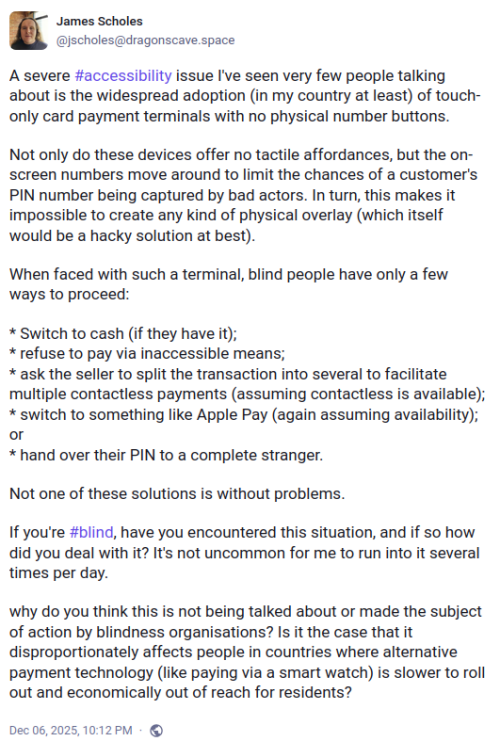
A severe issue I’ve seen very few people talking about is the widespread adoption (in my country at least) of touch-only card payment terminals with no physical number buttons.

Not only do these devices offer no tactile affordances, but the on-screen numbers move around to limit the chances of a customer’s PIN number being captured by bad actors. In turn, this makes it impossible to create any kind of physical overlay (which itself would be a hacky solution at best).

When faced with such a terminal, blind people have only a few ways to proceed:

* Switch to cash (if they have it);
* refuse to pay via inaccessible means;
* ask the seller to split the transaction into several to facilitate multiple contactless payments (assuming contactless is available);
* switch to something like Apple Pay (again assuming availability); or
* hand over their PIN to a complete stranger.

Not one of these solutions is without problems.

If you’re , have you encountered this situation, and if so how did you deal with it? It’s not uncommon for me to run into it several times per day.

why do you think this is not being talked about or made the subject of action by blindness organisations? Is it the case that it disproportionately affects people in countries where alternative payment technology (like paying via a smart watch) is slower to roll out and economically out of reach for residents?

It is easy to forget that others have different requirements and needs than you and navigating a world which is moving towards removing tactile feedback makes it harder for people with vision problems or motor control issues from interacting with the world. Every single security feature that we add to a system the more the potential of making the system inaccessible increases. For example, if we have captcha checks while logging into a site or a computer then screen readers can’t read the captcha by design so blind users are unable to log in to the system. A fix for that was to have audible captcha code but with the advances in voice recognition an attacker can use a voice recognition system to identify the code and bypass the security measure.

Accessibility features / functionality seems to be an afterthought (if that) for developers even in 2025. There are major accessibility issues in Linux and Fireborn (Couldn’t find their real name) did a whole series of blog post’s about the issues they face as a blind person using Linux (I Want to Love Linux. It Doesn’t Love Me Back: Post 1 – Built for Control, But Not for People) on a day to day basis. The sad part is that while a lot of people acknowledged the issue and agreed to work on fixing it there were the usual gatekeepers who wrote nasty/condescending messages in response to the post, Fireborn responded to the comment quite beautifully (and a lot more politely than I would have in their position) in another blog post (You Don’t Own the Word “Freedom”: A Full-Burn Response to the GNU/Linux Comment That Tried to Gatekeep Me Off My Own Machine) This right here is the issue that we need to solve. People don’t think we need to work on accessibility because they don’t need it. I remember reading an article about how there was a group of people really upset because a streaming solution was giving more focus on subtitles for their shows. No one is forcing you to enable subtitles but folks who don’t speak the language or have hearing issues they are a lifesaver.

Coming back to the security & accessibility issue for a POS (Point of Sales system), there is no easy way to solve this problem for card users. One option I can think of is for stores to keep a physical bluetooth pin-pad that is paired with the POS machine so that users with vision problems can use the physical keyboard to enter the pin. This would require effort (and have a cost implication) from the store so I don’t know how many stores will do that. It would work if there was a law that required the store to do this but if that is not there then the users are lost.

Another option would be to have a screen/image reader application on a phone that the user (or store) owns that scans the display and then reads out the numbers displayed. Even better functionality would be to have the app detect which number is covered by the user’s finger and let the user know verbally (over a headset ideally) so that they can enter the numbers.

These are some of the ways that I can think of to solve this problem but since I am not the target user a better way to approach this issue would be to work with folks with vision problems and have them confirm if the solution we are coming up is actually solving their problem or not.

– Suramya

July 16, 2025

Grok comes to Tesla and its nowhere near to bringing KITT closer to reality

Filed under: Artificial Intelligence,Computer Software,My Thoughts — Suramya @ 8:34 PM

Elon Musk announced that Grok AI would be included in Tesla’s about a week ago and unlike most of his announcements an initial release of the tool to Tesla happened earlier this week. This is extremely scary because what we are calling AI is nowhere close to being intelligent and putting it in control of a 2000 KG metal vehicle is what I would call a ‘bad idea’.

A lot of us grew up watching Knight Rider and KITT from the series is the golden standard for AI Cars. The extremely talented Design Thinking Comic created a comic where they imagined how Knight Rider 2025 would work with the current generation of LLM’s instead of the fictional KITT AI.

Knight Rider 2025, with a current generation LLM

Till recently my knowledge of the Tesla cars was based on information I read online and videos that I had watched, but I got to see the car in person during my recent trip to the US and my experience as a passenger was that the car looks really cool but there are a lot of usability issues. Like the weird way to open the door and loads of other issues folks have been posting about which have caused serious enough issues that Tesla had to issue multiple recalls in the past year for its cars. The Cybertruck, on the other hand was even uglier than I had imagined it to be.

The “Move fast and break things” philosophy is not something that should be applied to a car as it has serious real world impact potentially endangering lives. (It is a bad idea in general even for regular software development but that is a separate topic for another day)

– Suramya

February 6, 2025

A Linux Distribution which runs directly within a PDF file

There is a semi-serious joke in the IT industry that anything that can compute is eventually used to play Doom and then run Linux. Now you can do both from inside a PDF file. Since the PDF specification supports Javascript a highschool student who goes by the handle ‘ading2210’ has implemented a RISC-V emulator in it which can run a barebones Linux distribution within the PDF file itself. This builds on top of the work done to get Doom to run inside the PDF file.

The full specfication for the JS in PDFs was only ever implemented by Adobe Acrobat, and it contains some ridiculous things like the ability to do 3D rendering, make HTTP requests, and detect every monitor connected to the user’s system. However, on Chromium and other browsers, only a tiny subset of this API was ever implemented, due to obvious security concerns. With this, we can do whatever computation we want, just with some very limited IO.

C code can be compiled to run within a PDF using an old version of Emscripten that targets asm.js instead of WebAssembly. With this, I can compile a modified version of the TinyEMU RISC-V emulator to asm.js, which can be run within the PDF. For the input and output, I reused the same display code that I used for DoomPDF. It works by using a separate text field for each row of pixels in the screen, whose contents are set to various ASCII characters. For inputs, there is a virtual keyboard implemented with a bunch of buttons, and a text box you can type in to send keystrokes to the VM.

The largest problem here is with the emulator’s performance. For example, the Linux kernel takes about 30-60 seconds to boot up within the PDF, which over 100x slower than normal. Unfortunately, there’s no way to fix this, since the version of V8 that Chrome’s PDF engine uses has its JIT compiler disabled, destroying its performance.

For the root filesystem, there are both 64 and 32 bit versions possible. The default is a 32 bit buildroot system (which was prebuilt and taken from the original TinyEMU examples), and also a 64 bit Alpine Linux system. The 64 bit emulator is about twice as slow however, so it’s normally not used.

You can try out the implementation of LinuxPDF here. More details of the project and the code used to create it is available on the project’s GitHub page.

– Suramya

January 22, 2025

ELIZA Resurrected using original code after 60 years

If you have been following the AI chat bot news/world then you would have heard the name ELIZA come up. Eliza was the world’s first chatbot created over 60 years ago by MIT professor Joseph Weizenbaum and was the first language model which a user could interact with. It had a significant impact on the AI world (Actual AI research not the LLM wanna be AI we have right now) and was the first to attempt the Turing test. It was originally written in a programming language invented by Weizenbaum called the Michigan Algorithm Decoder Symmetric List Processor (MAD-SLIP) and the pattern matching directives were provided as separate scripts. Shortly after the initial release it was rewritten in LISP which went viral. Unfortunately the original code in MAD-SLIP went missing till recently soon after that.

One of the most famous ELIZA scripts was called Doctor that emulated a psychotherapist of the Rogerian school (in which the therapist often reflects back the patient’s words to the patient). Much to his surprise Weizenbaum found that folks attributed human-like feelings to the computer program. Wikipedia explains how the software worked:

ELIZA starts its process of responding to an input by a user by first examining the text input for a “keyword”.[5] A “keyword” is a word designated as important by the acting ELIZA script, which assigns to each keyword a precedence number, or a RANK, designed by the programmer.[15] If such words are found, they are put into a “keystack”, with the keyword of the highest RANK at the top. The input sentence is then manipulated and transformed as the rule associated with the keyword of the highest RANK directs.[20] For example, when the DOCTOR script encounters words such as “alike” or “same”, it would output a message pertaining to similarity, in this case “In what way?”,[4] as these words had high precedence number. This also demonstrates how certain words, as dictated by the script, can be manipulated regardless of contextual considerations, such as switching first-person pronouns and second-person pronouns and vice versa, as these too had high precedence numbers. Such words with high precedence numbers are deemed superior to conversational patterns and are treated independently of contextual patterns.[citation needed]

Following the first examination, the next step of the process is to apply an appropriate transformation rule, which includes two parts: the “decomposition rule” and the “reassembly rule”.[20] First, the input is reviewed for syntactical patterns in order to establish the minimal context necessary to respond. Using the keywords and other nearby words from the input, different disassembly rules are tested until an appropriate pattern is found. Using the script’s rules, the sentence is then “dismantled” and arranged into sections of the component parts as the “decomposition rule for the highest-ranking keyword” dictates. The example that Weizenbaum gives is the input “You are very helpful”, which is transformed to “I are very helpful”. This is then broken into (1) empty (2) “I” (3) “are” (4) “very helpful”. The decomposition rule has broken the phrase into four small segments that contain both the keywords and the information in the sentence.[20]

The decomposition rule then designates a particular reassembly rule, or set of reassembly rules, to follow when reconstructing the sentence.[5] The reassembly rule takes the fragments of the input that the decomposition rule had created, rearranges them, and adds in programmed words to create a response. Using Weizenbaum’s example previously stated, such a reassembly rule would take the fragments and apply them to the phrase “What makes you think I am (4)”, which would result in “What makes you think I am very helpful?”. This example is rather simple, since depending upon the disassembly rule, the output could be significantly more complex and use more of the input from the user. However, from this reassembly, ELIZA then sends the constructed sentence to the user in the form of text on the screen

Now after over 60 years the original code written in MAD-SLIP has been resurrected by Jeff Shrager, a cognitive scientist at Stanford University, and Myles Crowley,an MIT archivist, who found it among Weizenbaum’s papers back in 2021. Which is when they started working on getting the code to run, which was a significant effort. They first created an emulator that approximated the computers available in the 1960’s and then cleaned up the original 420-line ELIZA code to get it to work. They published a paper: ELIZA Reanimated: The world’s first chatbot restored on the world’s first time sharing system on 12th Jan where they explain the whole process.

ELIZA, created by Joseph Weizenbaum at MIT in the early 1960s, is usually considered the world’s first chatbot. It was developed in MAD-SLIP on MIT’s CTSS, the world’s first time-sharing system, on an IBM 7094. We discovered an original ELIZA printout in Prof. Weizenbaum’s archives at MIT, including an early version of the famous DOCTOR script, a nearly complete version of the MAD-SLIP code, and various support functions in MAD and FAP. Here we describe the reanimation of this original ELIZA on a restored CTSS, itself running on an emulated IBM 7094. The entire stack is open source, so that any user of a unix-like OS can run the world’s first chatbot on the world’s first time-sharing system.

You can try it out: here.

Source:

– Suramya

January 21, 2025

Getting my NVIDIA card working after breaking it again with the latest updates

Filed under: Computer Software,Knowledgebase,Linux/Unix Related — Suramya @ 11:10 AM

NVIDIA doesn’t have the best history with Linux as it’s cards historically didn’t work well with Linux. But over the past few years things were changing and at least in my experience they were at a point that the cards worked without major issues. As some of you know I use the unstable version of Debian, primarily because it has the newest versions of software available but the downside of using it is that things break and sometimes they break spectacularly.

This time there was an issue with the NVIDIA driver/configuration which caused my system to stop opening the GUI login interface when I restarted the system. I tried reinstalling the driver as the error messages in the log suggested that the issue was caused by a missing driver. I purged the nvidia drivers by issuing the following command as root:

apt purge *nvidia*

Then reinstalling the drivers using the following command:

apt-get install nvidia-detect nvidia-driver

After this reinstall the driver was being detected correctly but the GUI still wasn’t coming up. A search on the net didn’t return many useful results but on one of the sites, there was a reference to the fact that running nvidia-xconfig recreats the X Configuration file for NVIDIA cards, so I tried that by running the following commands as root

apt-get install nvidia-xconfig 
nvidia-xconfig 

This created the Configuration file and once I rebooted everything started working again. I did have to reconfigure my desktop since one of the things I had tried was to reset all the custom configurations to KDE but that was mostly a minor issue.

This issue was on Kernel 6.12.9-amd64 with Debian Unstable release as of 17th Jan 2025

– Suramya

January 3, 2025

Playing Doom to solve a CAPTCHA

Filed under: Computer Software,Interesting Sites — Suramya @ 10:48 AM

I guess traditional CAPTCHA’s are getting too easy for LLM’s and humans to solve so Guillermo Rauch decided to create a CAPTCHA that lets you play DOOM® to prove that you’re human.

The project works by leveraging Emscripten to compile a minimal port of Doom to WebAssembly and enable intercommunication between the C-based game runloop (g_game.c) and the JavaScript-based CAPTCHA UI.

Some extensions were made to the game to introduce relevant events needed for its usage in the context of a CAPTCHA.

It is actually a fun implementation of the game and while I doubt it will gain widespread usage it is an interesting proof of concept.

– Suramya

Older Posts »

Powered by WordPress