Suramya's Blog : Welcome to my crazy life…

November 2, 2007

How to disable the ‘Run As’ option in Windows

Filed under: Computer Security,Knowledgebase,Tech Related — Suramya @ 12:13 PM

In Windows 2000 the ‘Run As’ option was introduced, the premise was that you would login as a regular user and if you needed to run a particular program as a different user or an administrator you would use it. Basically it duplicated the su functionality from the Unix/Linux world.

Now if for some reason you want to disable this feature, follow these steps:

For standalone Windows XP machines in a workgroup environment, you can disable Run As by hacking the Registry. Simply use Regedit.exe to locate the following key on each machine:

HKLM\SOFTWARE\Microsoft\Windows\CurrentVersion\policies\Explorer

Then create a new DWORD value named HideRunAsVerb and assign it a value of 1.

In a domain environment, you can disable RunAs using the Software Restriction Policies feature of Group Policy. To do this, open the appropriate GPO in the Group Policy Object Editor and locate the following node in the console tree:

Computer Configuration/Windows Settings/Security Settings/Software Restriction Policies

Right-click on this node and select New Software Restriction Policies, then right-click on Additional Rules and select New Path Rule. Now type the path to runas.exe and make sure the policy is set to disallowed.

If you prefer to apply this policy to specific users instead of computers, use a GPO linked to an OU where the user accounts reside and configuring Software Restriction Policies using User Configuration instead of Computer Configuration, such as:

User Configuration/Windows Settings/Security Settings/Software Restriction Policies

Source: Disabling the RunAs command

More detailed version: Disable RunAs

– Suramya

Identify what files are being used by a given process/TCP connection

Filed under: Computer Security,Knowledgebase,Tech Related — Suramya @ 11:54 AM

In linux if you want to know what files are being used, all you have to do is run the lsof command which shows a list of all open files and the processes that opened them. So if you want to figure out what program is using that insane amount of RAM you can run lsof and grep by the process ID to find it.

In windows however there is no such command so we have to use alternative methods. If you are trying to identify a TCP connection you can try running “netstat -bv” (Without the quotes). It will give you the executable behind process, something like:

TCP fury:2433 imap.perfora.net:imap ESTABLISHED 2724
C:\WINDOWS\system32\mswsock.dll
C:\WINDOWS\system32\WS2_32.dll
C:\Program Files\Mozilla Thunderbird\nspr4.dll
C:\Program Files\Mozilla Thunderbird\thunderbird.exe
C:\WINDOWS\system32\kernel32.dll
[thunderbird.exe]

For Windows XP and 2000 systems you can also download Fport, which is a free tool that will show you what programs on your system are opening which ports.

Hope this helps.

– Suramya

October 30, 2007

Posted the Rafting pics in the Photogallery

Filed under: Website Updates — Suramya @ 6:37 PM

Posted the Rafting trip pictures in the Photogallery. Photos -> Trips -> Rafting Trip (Oct 2007)

– Suramya

October 29, 2007

Went for a rafting Trip this weekend

Filed under: My Life,Travel/Trips — Suramya @ 10:59 PM

This weekend was great fun, I went for a Rafting trip to Rishikesh. It was a rather sudden trip, I had known about it for a little while but wasn’t thinking about going for it because of work and stuff. On Thursday morning I found out that I would be free over the weekend so my Dad suggested that I should go for the trip (I had mentioned it to him earlier in the week). So at about 8 am I emailed Mitali who was the organizer for the trip and asked if there were places available, she said yes and after a couple of phone calls I had confirmed my place at the camp.

Then I booked my train tickets so that I could reach Haridwar at the same time as the rest of the group. We left Delhi at 11:15 pm on Friday and I had a nice journey just chatting with some of the other passengers. I did manage to sleep for about an hour but not much more than that. We got to Haridwar at 4 am and there I got to meet everyone else in the group for the first time. We then got on the car that had been rented for us and drove down to the camp which took almost 2 hours. It was a nice bumpy journey as they are widening the roads over there in the area. The route we took was a very scenic one and the moon light made everything appear to be magical.

We got to the camp at about 6am and after meeting the camp director Ajay everyone decided to take a quick nap before breakfast. I couldn’t sleep so I walked around the camp just enjoying the peace and quite. The sun rose at ~6:45 am after which the mist was burnt away and I could see the valley in its whole glory.
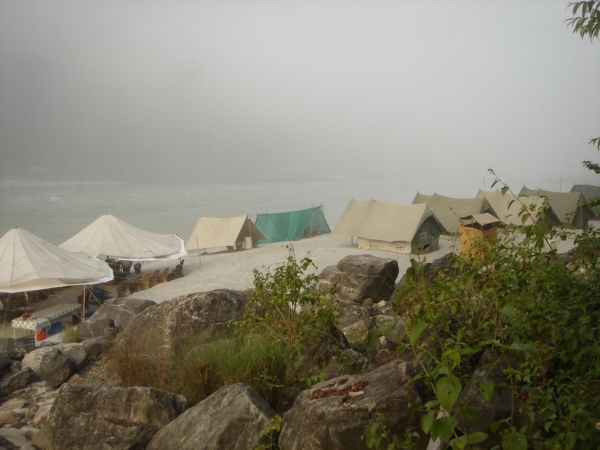

The Camp
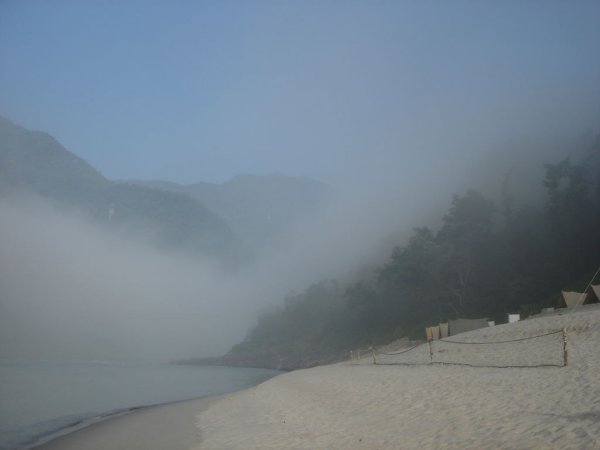
The Camp

Camp in the Morning
The Campsite just after the sun rose

After a few hours the rest of the group woke up and we had breakfast (the food was great). We headed off into the water at about 10 am for rafting. The water was extremely cold (~10 Deg C If I remember it correctly) which made swimming in it a lot more interesting and fun. We went through a couple of class 3 rapids and even body surfed through a few rapids which was fun.
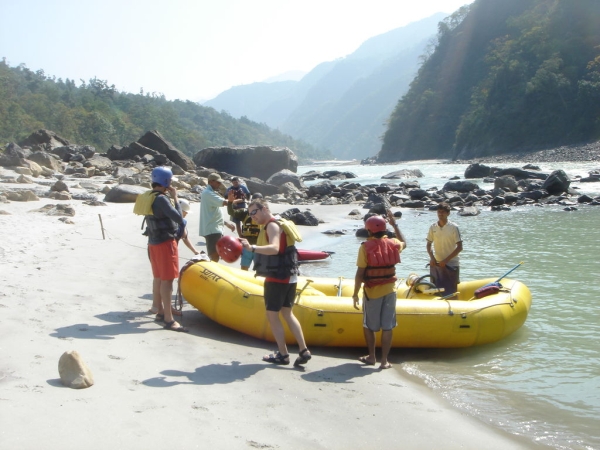

Getting ready for Rafting

We rafted about 10 kms down the river and called it a day. We left the raft over there at the beach and drove back to the camp. Once we got back we had lunch (every one was starving by the time we got back) and then spent a few hours just lazing around the camp. After Tea Advait (I hope I have the spelling correct) and I played a little Beach Vollyball. After the sun set we lazed around the campfire and talked about everything under the sun from astrology to politics.
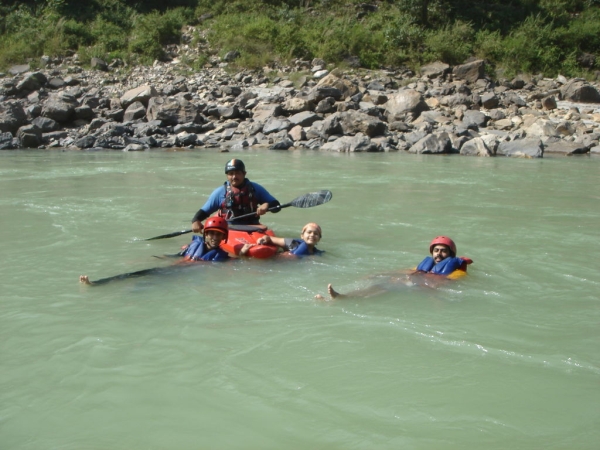

Me, Mitali and Chirag in the water with Sanjay
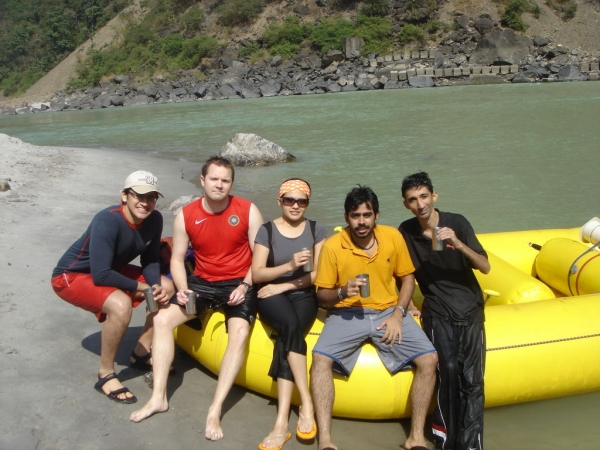

Advait, Tom, Mitali, Chirag and Me at the end of the first day of Rafting

The next day we drove down to the beach where we had left the raft the previous day and rafted down to Rishikesh (~18 kms). This time we went through a few class 4 rapids in addition to the class 3 rapids. The water felt a bit less cold than the day before which could be because the day was clear and the sun was very bright.
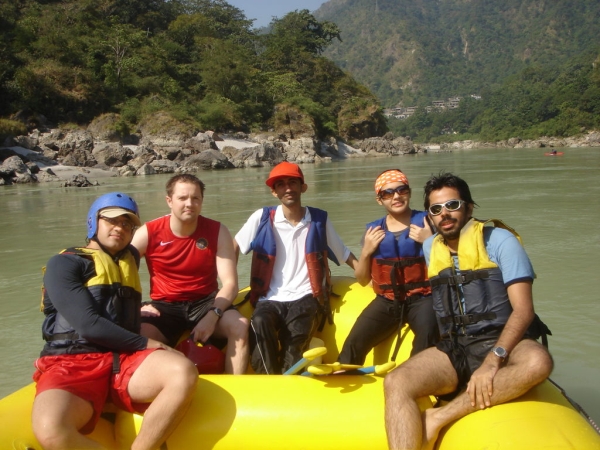


Advait, Tom, Me, Mitali and Chirag in the raft

There was a place on the way where you could jump in the water for a rock 6 mtrs above the water. Only Chirag and me had the courage to jump and it was a lot of fun. It didn’t look that high from the river but when you saw it from up there it felt a lot higher.

After we arrived at Rishikesh we spent a few hours over there sightseeing. We had lunch at the famous Choti wala restaurant where all of us had the Royal thali which had about 6 different vegetables and other assorted foods. Then we walked around for a little while and then drove back to camp.
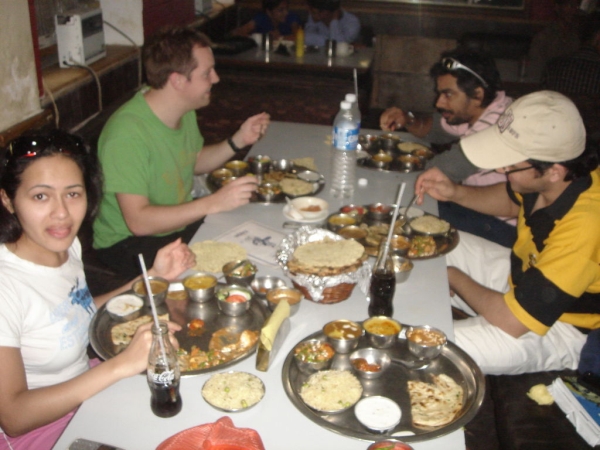


Lunch at Choti Wala’s

Back at the camp we lazed around a bit more, then Advait, Chirag, Navraj and me played a game of badminton. Then we had Tea and soon after the campfire was lit again and we spent a few hours talking and having fun.

The next day we left the camp at 8 am (had gotten up at 6 am) because our train was at 10:30 am. We got there about 1/2 an hour early so we walked about a bit in Haridwar and had tea. Tom was spending the next few days in Haridwar so there were only four of us who were coming back to Delhi. Ajay mama had some work at Delhi so he also was taking the same train to Delhi. Ajay and me had tickets in the AC 3 tier while Mitali, Chirag and Advait had tickets in the AC 2 tier. However they had originally booked tickets for 5 people but two of them had dropped out at the last minute so the two of us just switched seats and we all traveled together to Delhi. The train was supposed to be in Delhi at 2:30 pm but it got there at 4 pm. Mitali and Advait had a flight to Bombay at 6 pm so they had to rush to the airport.

I drove back home with Mom and dad and spent the next few hours resting. Over all the trip was awesome and I had a great time. Special thanks to Mitali for organizing the trip and inviting me.

Took a lot of photos (~160) so will be posting some of them in the photogallery within the next few days. Will keep you posted.

Well this is all for now. Will post more later.

– Suramya

October 25, 2007

“Waiting for God” is a good show

Filed under: My Thoughts — Suramya @ 2:03 PM

The net connection was down the past two days so I caught up on some of the shows I wanted to watch and found this Gem. It is a British comedy that ran from 1990 to 1994. Its based in an old people home where Diana Trent and Tom Ballard are the major characters. Diana is an old “spinster’ (in her words) who complains about everything and makes the life of the manager of the old folks home very difficult with her sarcastic comments where as Tom is a kind person who is always cheerful and spends most of his time dreaming about adventures.

Together the both of them form an unlikely friendship and they constantly wreak havoc amongst the younger staff and management in the home. In one of the episodes the take off for a ride in Diana’s niece’s Farari and send the whole home in a panic while they are trying to locate them.

Much of the humour is derived from how the elderly are expected to behave in their old age and how many of the residents don’t want to settle down and Diana’s sarcastic comments which usually go something like the following:

Jane (One of the staff): What a beautiful day it is…
Diana: Its been raining for 5 hours straight… Whats so beautiful about that?

Or

Tom is talking about God to Diana
Diana: Whenever you talk about God why do you look at the tree tops? Is God a squirrel that lives on the top of the tree?

I like comedies like this where there is no slapstick humor (movies like American Pie) or stupidity so I usually can’t watch more than 10 mins of the so called comedy shows that are currently on TV. No one can be that dumb. Other Comedy shows which I liked are Mind your language, Yes Prime Minister, Jaban Sambhal ke (Hindi version of Mind your language), I Dream of Jeannie and similar shows…

Anyways if you get the chance do watch the show. You might like it. More information on the show is available at the show’s Wikipedia page.

– Suramya

October 19, 2007

List of sites where you can get Information Security related news

Filed under: Computer Security,Interesting Sites,Knowledgebase,Tech Related — Suramya @ 12:40 PM

Here’s a small list of sites that security related news/resources:

This list is not a comprehensive list. I may add more sites as and when I find them.

– Suramya

How to find out who deleted a particular file

Filed under: Computer Security,Knowledgebase,Tech Related — Suramya @ 11:35 AM

If you want to know who deleted a particular file in Windows 2003 all you need to do is enable auditing the folder you want to keep track of. Just right click on the folder, go to “sharing and security”, then “security” tab, at the bottom click on “advanced”. Select the auditing tab, click add, select the group or users to track, then pick what actions you want to track.

To track file deletion you would enable:

Create files/Write data Success/Fail
Create folders / append data Success/Fail
Delete Subfolders/Files Success/Fail
Delete Suceess/Fail

Once thats done Windows will log all the information in the security event log.

– Suramya

October 17, 2007

No comments? Is this why?

Filed under: Humor — Suramya @ 6:13 PM

Found this while reading a comic. (It was one of the Friendly Neighborhood Spider-Man comics. Don’t remember the issue). I think it fits the blog with the amount of comments I get here so sharing it with you 🙂


So you agree?

– Suramya

October 16, 2007

Anger Management

Filed under: Humor — Suramya @ 1:11 PM

When you are really angry with someone try sitting down and talking with them. It helps. See the example below…


Anger Management

– Suramya

October 15, 2007

iPhones becoming iBricks shows why Open Source systems are better

Filed under: My Thoughts — Suramya @ 5:24 PM

A little while ago the iPhone was released with a lot of fanfare for a very limited audience located in the US who would agree to be locked in an AT&T contract for two years. Almost as soon as it was released hackers everywhere starting taking it apart to get it to work with other carriers. After a lot of trial and error a method was found that didn’t require taking the phone apart and a lot of people installed it. If I had an iPhone I would have installed it, just so that I could use *MY* phone as and when I wanted to.

Then Apple went ahead and released a patch that turned the hacked iPhones (and a lot of unhacked ones) into bricks or very expensive paperwieghts. It may be legal for them to do this because of the User Agreement that people signed when they bought the phone but it sure isn’t ethical. They are now under a bunch of lawsuits because of this and if the courts agree it was wrong of them to brick the iPhones then and only then can the users expect to be reimbursed.

iPhoneSIMFree, the first company that offered an unlocking tool, has released a paid upgrade that resolves the issue and unlocks the iPhone once again but even this is a hack which uses a buffer overflow bug in Safari to run the fix. This lets the users use their iPhones but users of the fix should beware that at any time Apple might fix this issue and include the fix in the next mandatory patch that they push out, converting the phones into expensive paperweights once again…

Now, you might ask how does open source come into the picture? Well, if the iPhone OS was open source this would have never happened. Anyone and everyone would have the right to install whatever Apps they wanted and use it wherever they want.

This risk is there in any closed system. Whats stopping Microsoft from deciding that your data needs to be tracked and installing a patch on your system that lets them do just that? Infact a few weeks ago they installed an updated version of the Windows Update Service on computers that had the updates disabled. What is to stop them for doing it again and how many more of these backdoors are there?

In an Open OS like Linux or Open Solaris, a lot of people look at the code and at some time or other every line of the code has been looked at. This makes it a lot harder to hide backdoors in the OS itself (not impossible. Just very hard), which is not the case with Windows and iPhones. You have to do it the hard way and reverse engineer the system (which is against the law BTW)

Google is rumored to be working on an Open Source OS for the Phones, even Nokia and Samsung are working on an Open Mobile OS. So open systems are the way to go.

If you are looking for alternatives to the iPhone check out this article from Tech republic where they list out the top 10 alternatives to the iPhone. I am drooling over the Nokia N99 (16 GB of internal memory, a 3.2-inch screen, a 9-way joystick control, GPS, WLAN, and a 7.2-megapixel camera that lets you shoot DVD quality movies) right now. That will probably be my next phone. There are a couple of Linux phones out there too but most are still in the development stage… Lets see when they come out.

Well this is all for now. Will post more later.

– Suramya
« Newer Posts — Older Posts »

Powered by WordPress